FoodCostOS
Food cost and inventory software built for restaurants: recipe cards, real-time margins, smart reordering, food-safety (HACCP) and POS integration.
Discover FoodCostOS
Supplier invoices
No more re-keying. Take a photo (or upload a PDF) of an invoice or delivery note: everything is read, your orders are pre-filled, billing discrepancies are flagged, and your costs update to what you actually paid.
Supplier, date, items, quantities and prices are read automatically. You confirm — that is all.
The invoice is matched against what you ordered AND what you received. Overbilling, quantity gaps, an extra line: all flagged.
The prices read update your purchase cost and your average cost. Your margins reflect what you actually paid.
The more you scan a given supplier, the less you enter: their next invoices fill themselves in.
In practice
Drop in the invoice, as a photo or a PDF. Supplier not on file? Created in one click, contact details included.
Automatic Ordered / Received / Invoiced comparison, with discrepancies flagged. One invoice can cover several deliveries from the same supplier.
Track payment on the invoice and apply the prices: stock and margin update themselves.
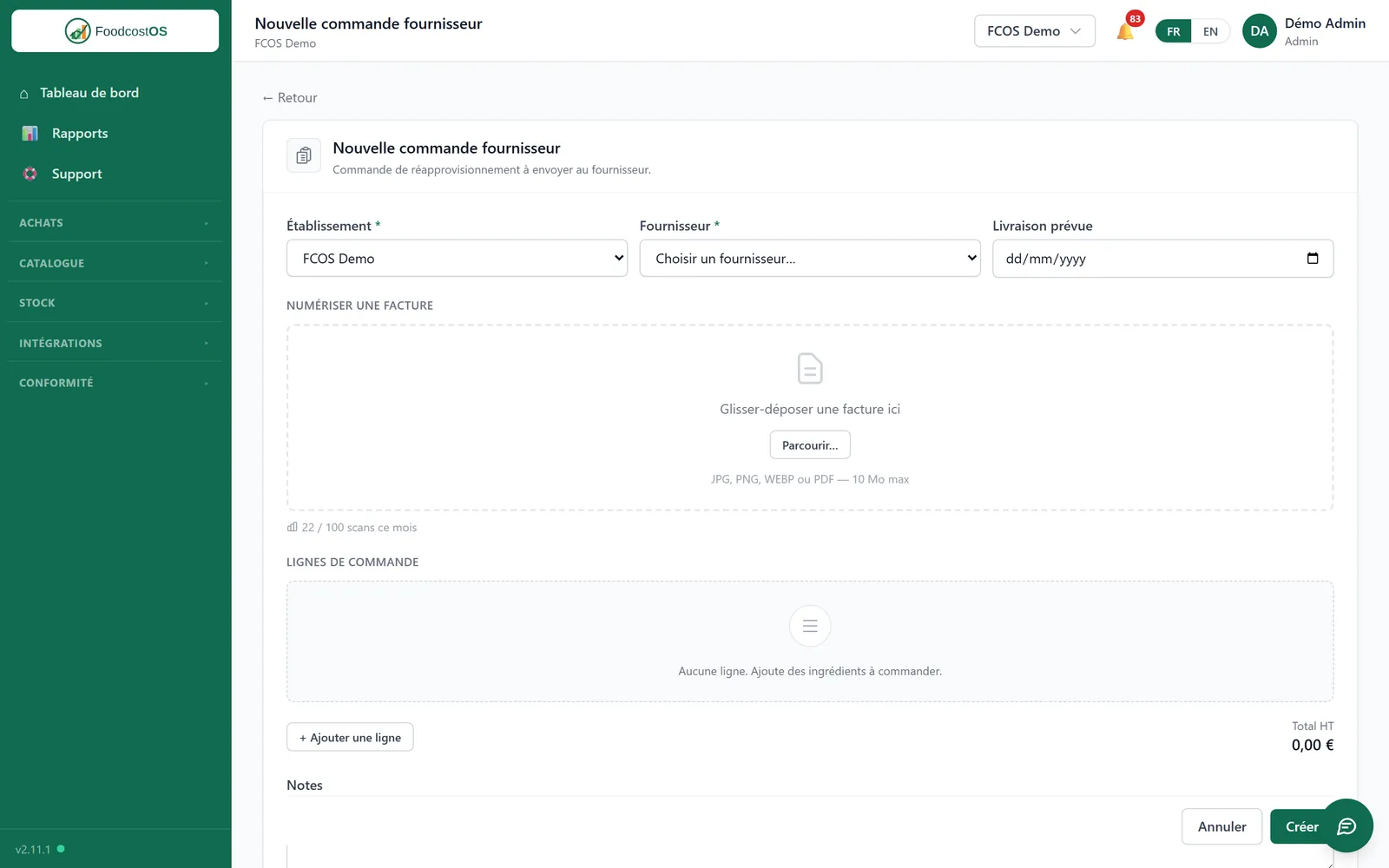
Drag in the invoice or delivery note — photo or PDF. Order lines pre-fill themselves, and you can see where you stand on your monthly volume.
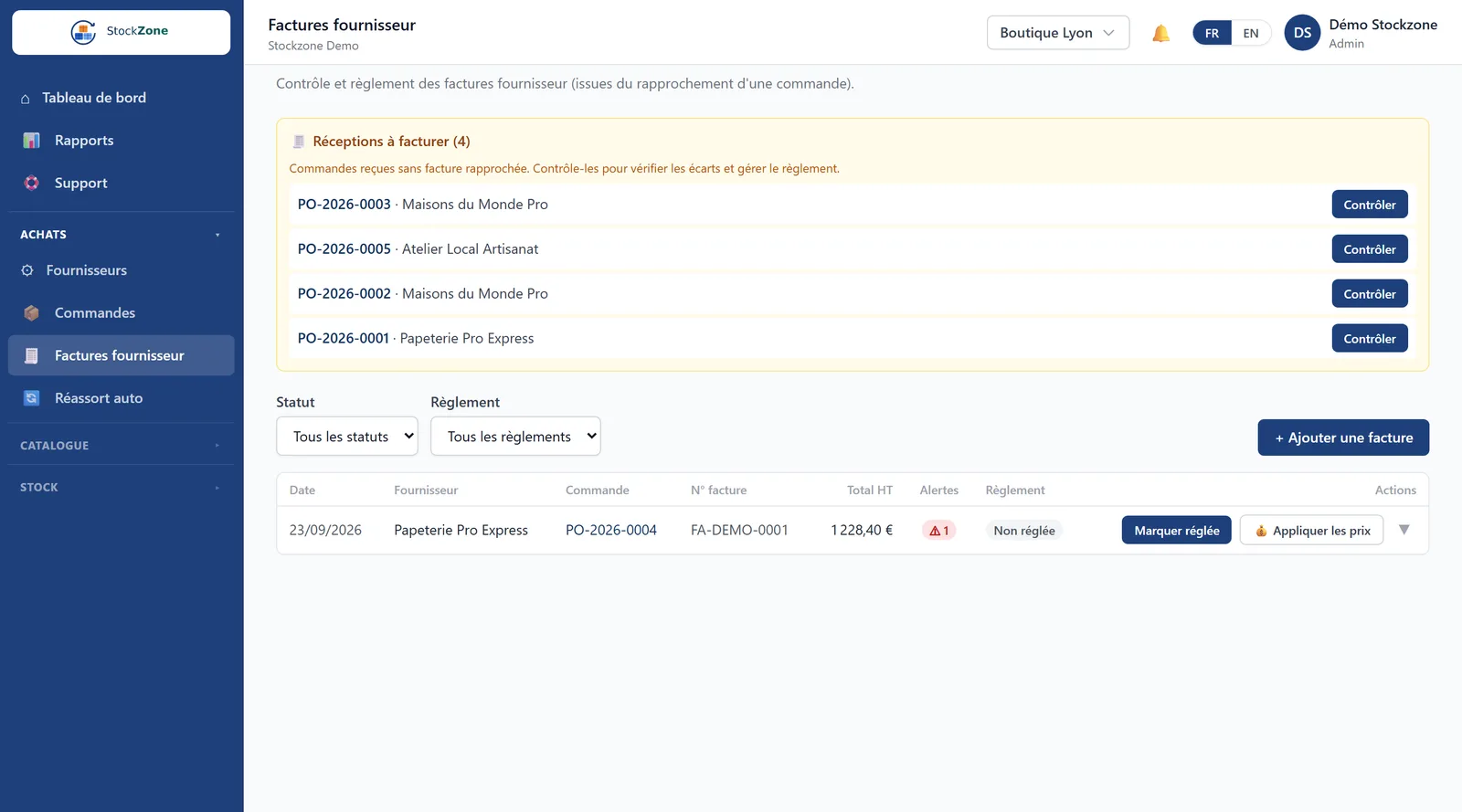
Deliveries with no matching invoice surface on their own. Discrepancies are flagged, and you track payment invoice by invoice.
An invoice does not end up in a folder: it becomes a supplier check and a margin sensor. Every document scanned verifies your purchase prices and corrects your costs, instead of sitting in an archive.
Data hosted in the European Union — GDPR compliant.
Invoice scanning is part of every plan, with a monthly volume that matches your business.
| Plan | Scanned invoices included |
|---|---|
| Starter | 30 / month |
| Pro | 100 / month |
| Enterprise | up to 1000 / month |
Need more? An add-on pack is available — talk to us and we will quote it.
Invoice scanning works the same way in both products — only the wording changes:
Food cost and inventory software built for restaurants: recipe cards, real-time margins, smart reordering, food-safety (HACCP) and POS integration.
Discover FoodCostOSSimple, reliable inventory management for every industry: always-accurate stock, tracked movements, reorder alerts — connected to your POS.
Discover StockZoneA photo taken on your phone, or a PDF. You can submit an invoice or a delivery note, and group several deliveries from the same supplier onto a single invoice.
It is flagged before you confirm: quantity delivered different from quantity invoiced, price higher than ordered, a line that was never on the order. You then choose to accept it, correct it, or raise a dispute with your supplier.
No. An unknown supplier is created in one click straight from the invoice, contact details included. And recognition improves with use: the more you scan a given supplier, the less you have to correct.
No, and it is not meant to. Scanning serves purchase control and cost calculation: checking that you pay the right price and keeping your margins current. Your accounting stays your accounting.
Reading is automatic, but nothing is saved without you: every invoice goes through a confirmation screen where amounts and quantities remain editable. You stay in control of what enters your data.
On secure servers in the European Union, GDPR compliant — like the rest of your data.
You are warned before you reach the limit. An add-on pack is available: get in touch and we will give you the price. The counter resets every month.
Bring two or three supplier invoices: we will show you the reading, the discrepancy check and your costs updating, live.
Request a demo